Systemd Is the Orchestrator You Already Have
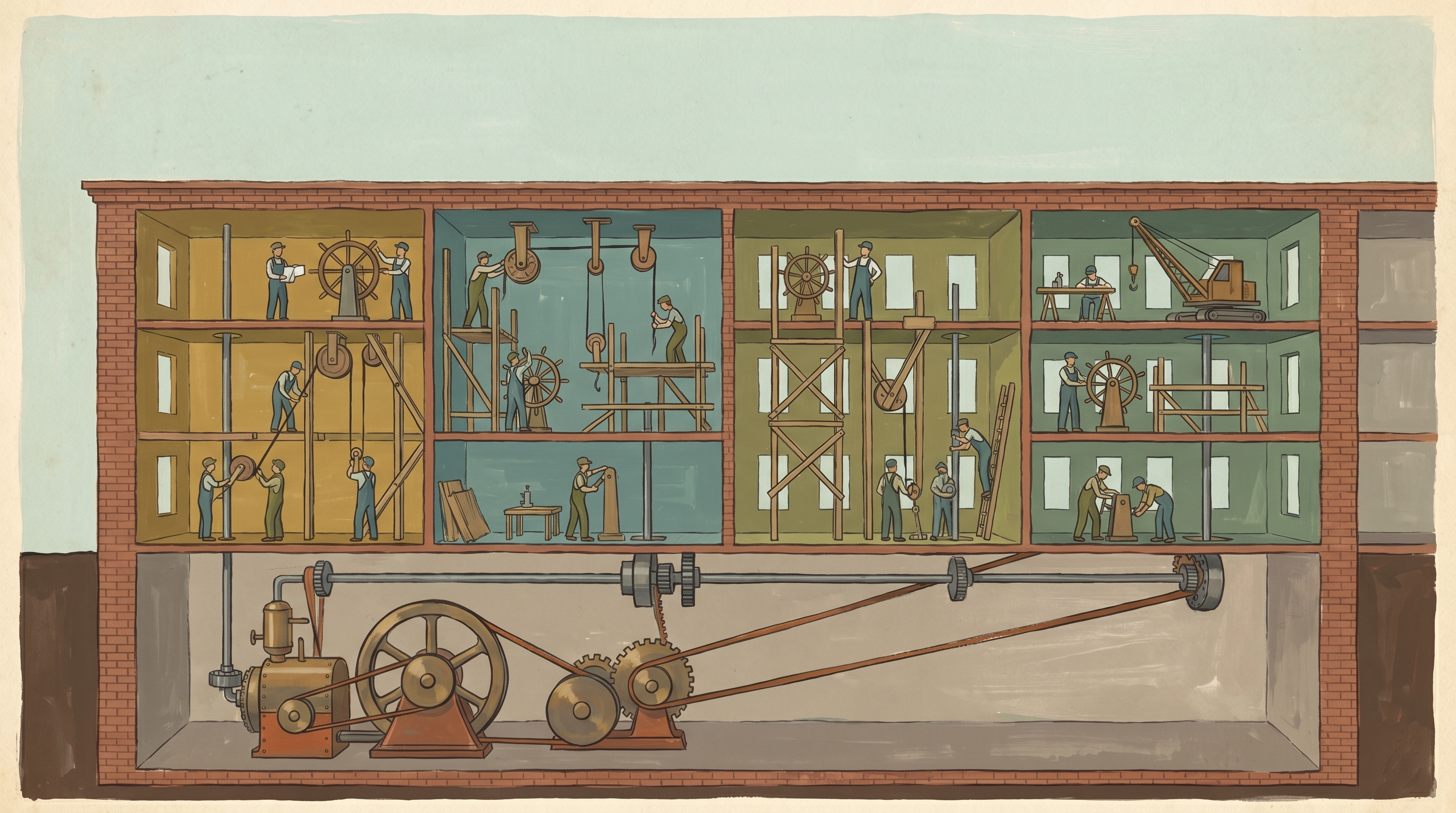
There is a particular kind of meeting that ends with someone volunteering to "stand up a small scheduler" for a job that runs four times a day. A few weeks later there is a container image, a Helm chart, a CronJob resource, a service account, an RBAC binding, and a Slack channel for the alerts it generates when the cluster it depends on is being patched. The job still runs four times a day. It writes a file to a disk.
Somewhere underneath all of that, on the box where the work actually happens, sits an init system that already does dependency ordering, restart policies, resource limits, process sandboxing, calendar-based scheduling, and socket activation. You are paying for it whether you use it or not. It boots your machine.
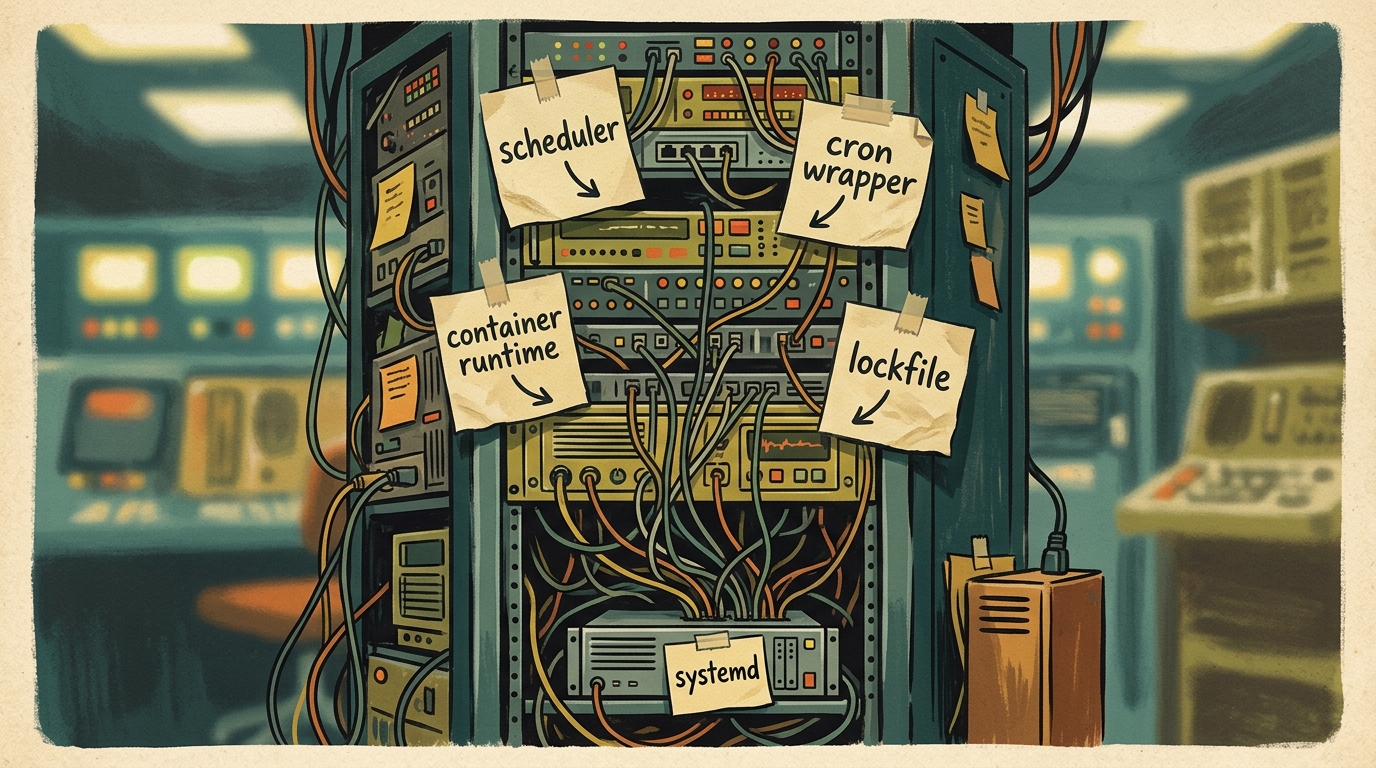
This is not an argument against Kubernetes. There are workloads that genuinely need a scheduler spreading replicas across failure domains, and if you have one, you know. This is an argument against reaching for the scheduler — or for Docker, or for cron with a wrapper script and a lockfile you wrote yourself — for things systemd has handled correctly since roughly 2015. Most of what people bolt on, they bolt on because they never read the manual for the tool that was already running.
Here is the map before the territory.
| Thing you reached for | systemd feature that already does it |
|---|---|
| cron + a hand-rolled lockfile | .timer units with Persistent=, single-instance by default |
| A wrapper that emails you when the job fails | OnFailure=, journal integration, systemctl status |
| Docker, purely for restart-on-crash | Restart=on-failure, RestartSec=, StartLimitBurst= |
docker run --memory --cpus for one process |
MemoryMax=, CPUQuota=, MemoryHigh= (cgroups, no daemon) |
| A container image to isolate a script from the host | ProtectSystem=, PrivateTmp=, DynamicUser=, et al. |
| A reverse proxy holding a connection while your app boots | .socket activation |
Compose depends_on for ordering local services |
After=, Requires=, Wants= |
| A bash script that polls for a condition before starting | BindsTo=, PartOf=, ordering dependencies |
None of this is new. That is rather the point.
Restart Policies and Dependency Ordering
The most common reason a small service ends up in a container is restart-on-crash. The process falls over at three in the morning, nobody notices until nine, and the postmortem action item is "containerise it so it restarts". You can have the restart without the container.
[Unit]
Description=Widget ingest worker
After=network-online.target
Wants=network-online.target

[Service]
ExecStart=/usr/local/bin/widget-ingest
Restart=on-failure
RestartSec=5
StartLimitIntervalSec=60
StartLimitBurst=5

[Install]
WantedBy=multi-user.target
Restart=on-failure brings it back when it exits non-zero or is killed by a signal, but leaves it down when it exits cleanly — which is what you want, because a clean exit usually means you told it to stop. RestartSec=5 waits five seconds before trying again, so a process that dies instantly doesn't spin the CPU. And the StartLimit pair is the bit people miss: if it fails five times in sixty seconds, systemd gives up and marks the unit failed rather than restarting it forever. A crash loop that hammers a database is worse than an outage. The default of restarting into the same wall indefinitely is a footgun; cap it.
Ordering is the other half. After=network-online.target says start this once the network is genuinely up, not merely once the interface exists. Wants= on the same target is a soft dependency — pull it in if you can, but don't fail me if you can't. Requires= is the hard version: if the dependency fails, I fail with it. The distinction matters more than it should, because people reach for Requires= by reflex and then wonder why a flaky dependency takes their service down with it.
The mental model is a directed graph. Wants/Requires decide whether a unit gets pulled in; After/Before decide when it runs relative to others. They are orthogonal — listing something in After= does not pull it in, and listing it in Wants= does not order it. Conflate the two and you will eventually ship a unit that starts before the thing it depends on and works fine on your laptop because your laptop is slow in a different way.
graph TD
    net[network-online.target]
    db[postgresql.service]
    cache[redis.service]
    app[widget-app.service]
    timer[widget-cleanup.timer]

    app -->|After=, Requires=| db
    app -->|After=, Wants=| cache
    app -->|After=, Wants=| net
    timer -->|triggers| cleanup[widget-cleanup.service]

    classDef hard stroke-width:3px;
    class db hard;
The solid edge to the database is a hard dependency; lose Postgres and the app unit fails. The cache is a Wants= — start it if you can, carry on if you can't. That graph lived in a Compose file and three retry loops before. It belongs in the unit.
Timers: Cron With Things Cron Never Had
Cron is a fine tool for 1995. It runs a command at a time. It does not log meaningfully, it does not handle missed runs, it has no concept of "after the database is up", and if your machine was asleep at 02:00 the job simply didn't happen and nobody will tell you. People paper over each of these gaps individually until the wrapper script is longer than the job.
A systemd timer is two files. The service describes the work; the timer describes when.
# widget-cleanup.service
[Unit]
Description=Prune stale widgets
After=postgresql.service
Requires=postgresql.service

[Service]
Type=oneshot
ExecStart=/usr/local/bin/widget-cleanup --older-than 30d
# widget-cleanup.timer
[Unit]
Description=Run widget cleanup daily

[Timer]
OnCalendar=*-*-* 02:00:00
RandomizedDelaySec=900
Persistent=true

[Install]
WantedBy=timers.target
OnCalendar= takes a calendar expression that is genuinely more readable than cron's five-column hieroglyphics — OnCalendar=Mon..Fri 09:00 means what you'd hope. RandomizedDelaySec=900 smears the start across a fifteen-minute window, which is the difference between a fleet of machines politely staggering their requests and a thundering herd that takes out a shared service at exactly 02:00:00. Cron has no answer to this; people solve it by sprinkling sleep $((RANDOM % 900)) at the top of scripts, which works until someone copies the script without the sleep.
Persistent=true is the one that earns its keep. If the machine was off or asleep when the timer should have fired, it runs the job on next boot rather than silently skipping it. For anything that prunes, backs up, or reconciles, a missed run is a real problem, and cron's answer is a shrug.
And because the work runs as a service, you get the journal for free. journalctl -u widget-cleanup.service shows you every run, its output, its exit code, and how long it took. systemctl list-timers shows you when each timer last fired and when it fires next, across the whole machine, in one table. No wrapper, no logfile rotation you configured yourself, no email parsing.
Resource Control: cgroups Without the Ceremony
The honest reason a lot of single processes end up in containers is resource limits. You want to stop the batch job eating all the memory and OOM-killing the database next to it. Docker gives you --memory and --cpus, and they work by configuring cgroups. systemd configures the same cgroups, because on a modern Linux system systemd is the cgroup manager. The container runtime is a layer of indirection over a thing you already have.
[Service]
ExecStart=/usr/local/bin/batch-cruncher
MemoryHigh=2G
MemoryMax=3G
CPUQuota=150%
TasksMax=64
IOWeight=50
MemoryMax=3G is the hard ceiling — cross it and the cgroup OOM-killer reaps the process. MemoryHigh=2G is the soft one: above it the kernel throttles the process and reclaims aggressively, so it slows down before it dies. That gradient is genuinely nicer than Docker's single --memory cliff. CPUQuota=150% allows one and a half cores' worth of CPU time — values over 100% are how you express "more than one core" — and TasksMax=64 caps the number of threads and processes, which is your defence against a fork bomb in a dependency you didn't audit.
You can apply all of this to a process that is already running, without restarting it, via systemctl set-property. And you can see where the resources are actually going with systemd-cgtop, which is top for the cgroup hierarchy. No daemon, no image, no registry. Three lines in a unit file you were going to write anyway.
Sandboxing: A Jail in Ten Directives
This is the section that tends to change minds, because the gap between "a script running as a service" and "a script running in something close to a container's isolation" is about ten lines, and most people have never typed them.
[Service]
ExecStart=/usr/local/bin/widget-api
DynamicUser=true
ProtectSystem=strict
ProtectHome=true
PrivateTmp=true
PrivateDevices=true
NoNewPrivileges=true
ReadWritePaths=/var/lib/widget
RestrictAddressFamilies=AF_INET AF_INET6
SystemCallFilter=@system-service
SystemCallArchitectures=native
CapabilityBoundingSet=
MemoryDenyWriteExecute=true
LockPersonality=true
Read top to bottom. DynamicUser=true invents a user for the lifetime of the service and disposes of it afterwards — no useradd, no UID to manage, no orphaned account three years later that nobody dares delete. ProtectSystem=strict mounts the entire filesystem read-only for this process; ReadWritePaths=/var/lib/widget then punches a single writable hole where the service legitimately needs one. ProtectHome=true makes /home simply not exist as far as this process is concerned. PrivateTmp=true gives it its own /tmp, which closes off a whole family of symlink and predictable-filename attacks that have been embarrassing people since the 1990s.
NoNewPrivileges=true ensures the process cannot gain privileges through setuid binaries — once dropped, privileges stay dropped. CapabilityBoundingSet= (empty) strips every Linux capability; if the service needs to bind a low port, you add CAP_NET_BIND_SERVICE back explicitly and nothing else. SystemCallFilter=@system-service restricts it to the syscalls a normal service uses and kills it if it tries anything exotic, which is a respectable approximation of seccomp without writing a seccomp profile by hand. RestrictAddressFamilies=AF_INET AF_INET6 means a compromised process can't open a raw socket or talk over AF_PACKET.
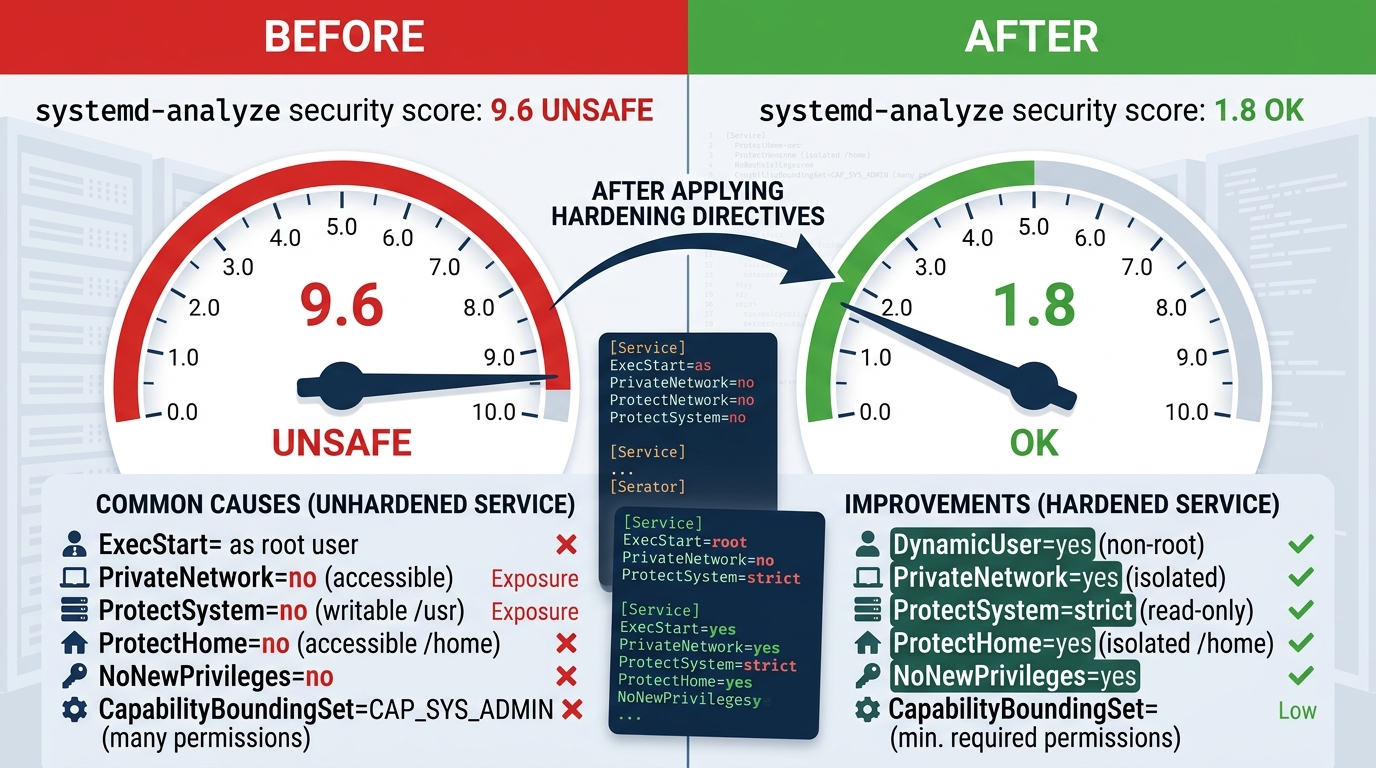
The reason to do this rather than admire it is the scoring tool. systemd ships systemd-analyze security, which rates a unit's exposure out of ten and itemises every hardening directive you have and haven't applied.
$ systemd-analyze security widget-api.service

NAME                       DESCRIPTION                          EXPOSURE
✓ PrivateDevices=          Service has no access to hardware devices
✓ ProtectHome=             Service has no access to home directories
✓ DynamicUser=             Service runs under a transient non-privileged user
✓ NoNewPrivileges=         Service cannot acquire new privileges
✓ SystemCallFilter=        System call allow list defined, exceptions denied
✓ CapabilityBoundingSet=   No capabilities at all
✓ MemoryDenyWriteExecute=  Memory mappings cannot become writable+executable
✓ RestrictAddressFamilies= Only AF_INET/AF_INET6 permitted

→ Overall exposure level for widget-api.service: 1.8 OK 🙂
A freshly written unit with no hardening scores around 9.6 — "UNSAFE", and it means it. Watching the number fall as you add directives is unreasonably satisfying, and it gives you something concrete to put in a hardening ticket instead of "make it more secure". Run it against the services already on your box. Most of them will score badly, and most of them are exposed to the network. That is the actual finding.
Socket Activation: The Trick That Predates the Hype
Socket activation is the feature people reinvent most often without realising someone got there first. The idea: systemd opens the listening socket itself, holds it, and only starts your service when a connection actually arrives. It hands the already-open socket to the service on launch.
# widget-api.socket
[Socket]
ListenStream=8080
Accept=no

[Install]
WantedBy=sockets.target
The service unit declares nothing about ports; it simply inherits the file descriptor systemd passes it. Three things fall out of this that people otherwise build by hand. Services start on first use rather than at boot, so a box with forty rarely-touched internal services doesn't pay for forty idle processes. Connections that arrive during a restart are held in the socket's kernel backlog rather than refused, which gives you zero-dropped-connection restarts without a load balancer draining traffic for you. And ordering between socket-activated services stops mattering, because the socket exists before any of the services do — connect to a service whose process hasn't started and the connection blocks until it has, instead of failing.
This is the same mechanism inetd offered decades ago, modernised. It is also, more or less, what a service mesh sidecar does when it holds connections during a rollout, except it costs you a four-line file rather than a second container per pod. Not every workload wants lazy start. But for the long tail of internal services that handle a request an hour, it is close to free.
Where systemd Stops and You Genuinely Need More
Honesty matters here, or the whole piece reads as a man with a hammer.
systemd runs things on a machine. It has no model of a fleet. It will not reschedule a workload onto a healthy node when the current one catches fire, it will not bin-pack replicas across availability zones, and it has no opinion about rolling out version N+1 across two hundred hosts while keeping a quorum on N. The moment your answer to "where does this run" is "wherever there's capacity", you have crossed into scheduler territory and systemd is the wrong tool. That is not a failing; it was never trying to be a cluster manager.
Nor is it a packaging format. A container image bundles dependencies into an artifact you can ship identically to dev, staging, and prod. A systemd unit assumes the binary and its dependencies are already on the host. If "works the same everywhere" is the property you need — and for anything with a fragile dependency tree it often is — the image earns its place, and you can still run that image under a systemd unit with Restart= and MemoryMax= doing the supervision. The two are not rivals. Podman generates systemd units for exactly this reason.
And distributed orchestration — leader election, consensus, cross-node service discovery — is simply a different problem. systemd has BindsTo= and PartOf= for tightly coupling units on one host, and that is where its ambitions correctly end.
The line is roughly this: one machine, known software, supervision and isolation and scheduling — systemd, every time, and reaching past it is the over-engineering. Many machines, dynamic placement, fleet-wide rollout — a scheduler, and pretending systemd suffices is the under-engineering. Most of what lands on the wrong side of that line lands on the scheduler side, by habit, for jobs that run four times a day and write a file to a disk.
Learn the Tool You Already Run
The unglamorous truth is that a large fraction of infrastructure complexity is people rebuilding, at considerable expense, features that ship in the init system on every Linux box they own. The timer, the restart policy, the cgroup limit, the sandbox, the activated socket — none of it is exotic, all of it is documented, and most of it is shorter than the YAML it tends to get replaced with.
Pick one service you currently babysit with cron and a wrapper script, or one you containerised purely to get it to restart. Rewrite it as a unit this afternoon. Run systemd-analyze security against it and watch the score. Then go and read man systemd.exec properly, once, the way you keep meaning to. It is a long man page, and it is a better return on an hour than most things you'll do this week.